

What is Mercury MCP?
Learn how to connect AI agents to your Mercury accounts.
The Mercury MCP is currently in Beta as we understand the limitations of chat models. Double check any responses from the LLM with your Mercury account for any important decisions.
Connect your AI tools to Mercury accounts using the Model Context Protocol , an open standard that lets AI assistants interact with your accounts, transactions, recipients, cards and more.
What is Mercury MCP?
Mercury MCP is a hosted server that connects AI tools such as ChatGPT and Claude to your Mercury account through OAuth. You can ask questions about your finances and authorize supported actions: request payments and internal transfers, create or edit custom expense categories, and update transaction notes and categories. Available tools depend on your account type and the permissions you grant.
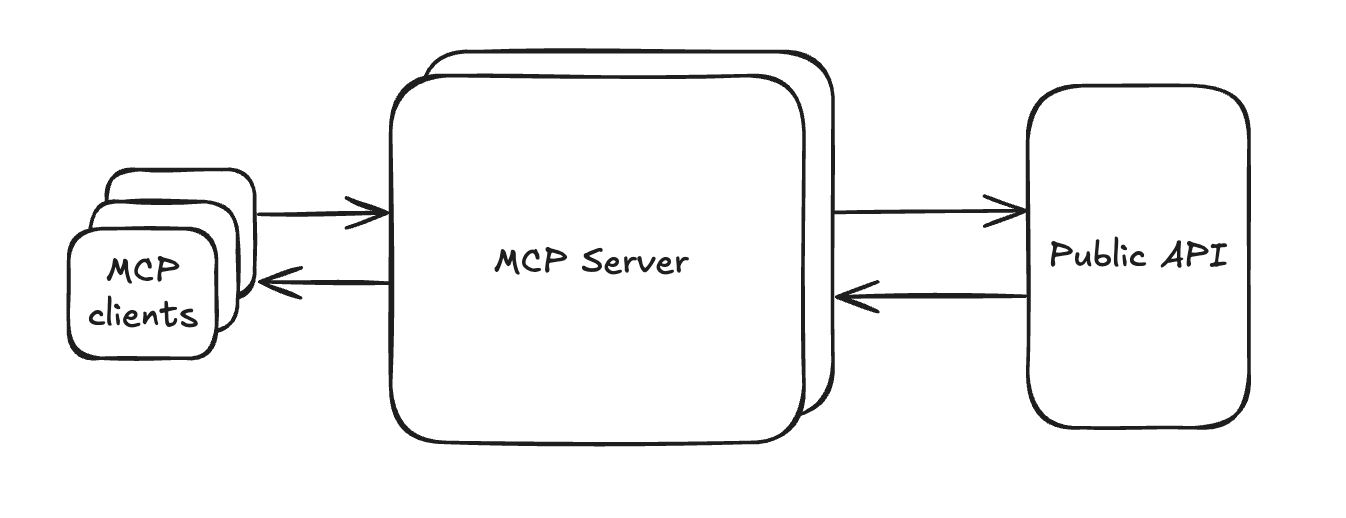
Mercury MCP connects your AI tools to Mercury's public API through OAuth. Supported write actions require explicit permissions; payment and transfer requests require approval in Mercury.
Why use Mercury MCP?
- Easy setup — Connect through OAuth, with safe and secure one-click installation for supported AI tools
- Optimized for AI — Built specifically for AI agents with efficient data formatting
- Powerful data - Detailed transaction reporting on categories, merchants, users, cards and more available to query
What can you do with Mercury MCP?
- Understand your spend - we built transactions reporting to give you the ability to quickly access and understand spend across your business, with fast responses and detailed metadata.
- Track your balance - access account balances and statement information
- Quick access to card and recipient details - grab the details of who you are paying and what cards are currently active
- Prepare payments - request a payment to an existing recipient, then review and approve it in Mercury
- Prepare internal transfers - request a transfer between your own Mercury accounts, then review and approve it in Mercury
- Organize your transactions - create or edit custom expense categories and update transaction notes and categories
How actions work
Money movement requires approval in Mercury. Your AI tool creates a payment or transfer request. It cannot approve the request or move money on its own. Your organization's approval policies still apply. If those policies would otherwise allow the action without approval, the requester must approve it in Mercury. A request being created does not mean that money has been sent.
Category and note changes apply immediately. With the required permissions, your AI tool can create or edit custom categories and update transaction notes and categories without a separate approval in Mercury.
For example, ask “Request a $500 payment to Acme from my checking account,” then review the request in Mercury. Or ask “Categorize this transaction as Software” to update its category directly.
See Supported tools for the actions, required permissions, and example prompts.
Get started
Follow Connecting Mercury MCP to connect your AI tool. If you already have a read-only connection, reauthorize it through your AI tool's connection settings and review the write permissions on Mercury's consent screen. Existing connections do not gain write access automatically.
Read Security best practices before granting access.
Updated 20 days ago